


Let me tell you the exact moment Pinterest marketing made sense to me: when I realized that unlike everything else on social media, a pin doesn’t die. A tweet has a half-life of minutes, a story vanishes in a day, but a pin keeps surfacing in Pinterest’s search results for months — sometimes years. Pinterest behaves like a visual search engine, and people use it to plan: trips, birthday parties, the homeschool week, the weekly meal rotation.
If you’re a mom running a business in the margins of your day — nap windows, school pickups, that golden hour after bedtime — this matters more for you than for anyone else. You can’t post ten times a day. You need a marketing asset that keeps working while you’re making school lunches. One good pin, built around a phrase your future customers actually search, can keep bringing people to your blog or shop long after you made it. That’s the promise of Pinterest. The question is how to find those phrases instead of guessing them. This article is my answer: a keyword-first approach, built entirely on Pinterest’s own free signals, in steps you can run in a few hours a week.
The mindset shift: from pretty pins to searchable pins
Most of us start the same way. We design a gorgeous pin for a blog post we love, type a title that sounds nice, publish it to a board called something like “My Business Stuff,” and then wonder why it got twelve impressions. The problem isn’t the design — it’s that nobody searching Pinterest can find it. Pinterest is a search engine first. People type phrases like “simple meal prep for picky eaters” or “small kids’ birthday party ideas at home,” and Pinterest matches those words against pin titles, descriptions, board names, and board descriptions. Pretty helps once someone sees your pin. The words decide whether they ever see it.
The shift is this: stop starting with the design and start with the keyword. Decide what your readers search, then build the pin around that phrase. I learned this running a Pinterest SEO toolkit, but you don’t need a tool to start — you need a system. Here’s mine, adapted for the way mom entrepreneurs actually live and work.
Step 1: Start with seed topics you can actually publish
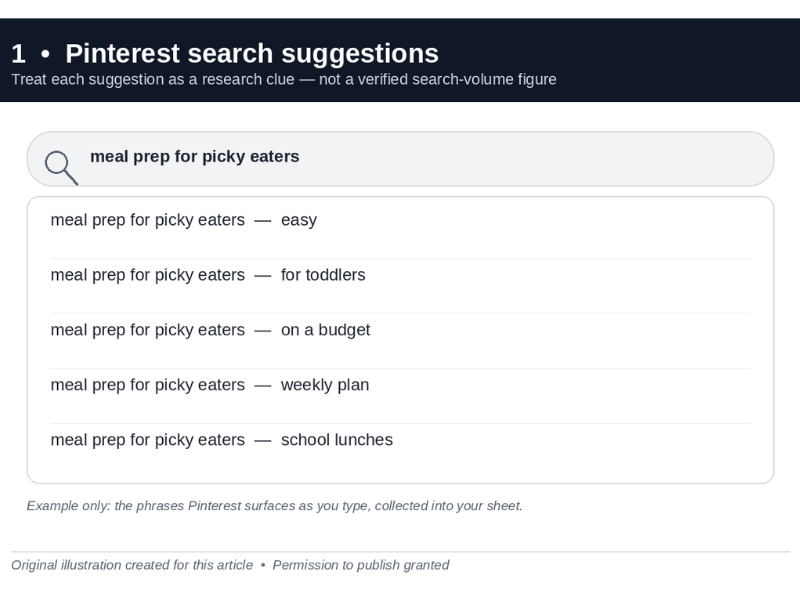
Pinterest’s suggestions are a free starting point — treat each one as a research clue, not a verified volume figure
A seed topic is one concrete subject you already have — or can soon create — content for. The rule that saves you the most time: never research keywords for content you can’t publish. If you don’t sell handmade products yet, don’t research “handmade baby shower favors.” If you have no family travel posts, skip “road trip games for toddlers.” Ranking a keyword with nothing behind it is wasted effort.
So start honest. Open a blank spreadsheet — mine has three columns: keyword, intent, status — and write down four or five seed topics tied to content you can publish within the next two weeks. Keep them close to your real life and your real business. If you sell handmade nursery decor, a seed might be “nursery organization on a budget.” If you blog about family travel, try “packing for kids on a road trip.” If your business is home organization services, “small pantry organization ideas” is a seed. If you teach other moms to work from home, “setting up a home office in a bedroom” is a seed. If you share recipes, “make-ahead school lunches” is a seed.
Do it now: write four seed topics in your spreadsheet, each one something you could genuinely publish about in the next two weeks.
Step 2: Expand each seed with Pinterest’s own suggestions
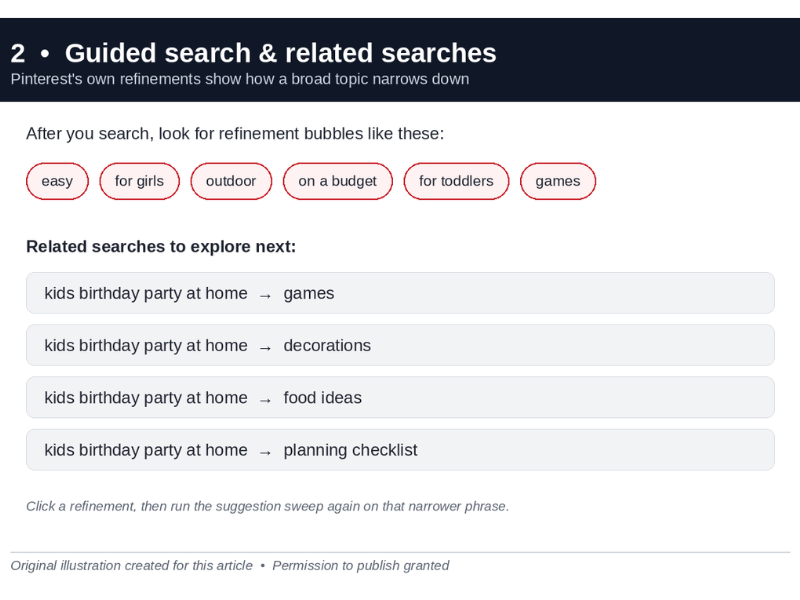
Guided-search bubbles show how Pinterest itself refines a topic
Here’s the best-kept open secret of Pinterest marketing: Pinterest gives you strong clues about what people search. Type a seed into the Pinterest search bar — but don’t press enter yet. The autocomplete dropdown is a live list of phrases Pinterest surfaces as you type. Treat those suggestions as useful research clues about what people search — not as verified search-volume figures. Pinterest does not publish a volume number next to these suggestions, and this article does not claim one. Then play the alphabet game: type your seed plus each letter of the alphabet (“meal prep a”, “meal prep b”) and you’ll harvest dozens of genuine long-tail phrases in minutes. Try it with “kids birthday party at home” and you’ll see autocomplete offer things like “kids birthday party at home for toddlers,” “kids birthday party at home games,” “kids birthday party at home on a budget” — each one a phrase Pinterest is surfacing for that seed — a clue to real search behaviour, not a verified volume figure.
Now press enter. Two more goldmines appear: the guided-search bubbles at the top of the results page (Pinterest’s own refinements, like “easy,” “for girls,” “outdoor”) and the “related searches” row further down. Click a few bubbles, run the autocomplete trick on each refinement, and your list grows fast. I collect everything in the spreadsheet and aim for at least 30 raw phrases per seed before moving on.
Do it now: run the autocomplete sweep on your first seed and collect 30+ phrases in your sheet.
Step 3: Validate with Pinterest Trends before you commit
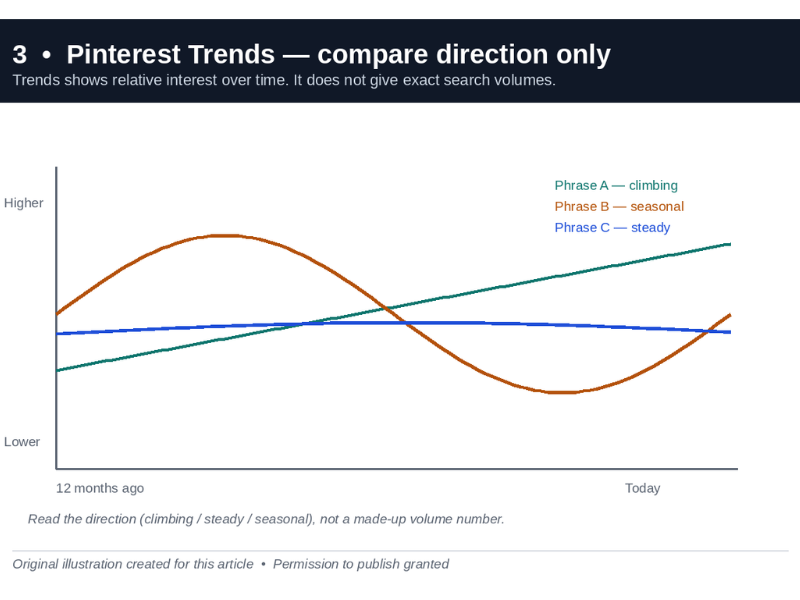
Trends compares relative direction, not exact search volume
Not every phrase you collect deserves a pin. Pinterest Trends is Pinterest’s free comparison tool: it charts the relative interest of your keywords over time. Every Trends claim in this article is about relative direction only — Trends does not hand out exact search volumes, and no exact volume is quoted anywhere here. Note that word — relative. Pinterest doesn’t hand out exact search volumes, and anyone quoting precise monthly volumes for Pinterest keywords is making them up. What Trends shows you is direction: climbing, steady, seasonal, or asleep.
Two habits make this step useful. First, compare, don’t eyeball: chart two or three candidate phrases together. A rising or steady trend may indicate an opportunity, but consider seasonality, relevance to your audience, and whether you can create useful content for that keyword. A rising trend isn’t automatically the best choice. Second, respect seasonality — Pinterest is a planning engine. People search holiday content months ahead; moms plan summer travel in spring. Scroll the full 12-month view before you declare a keyword “dead.” That “fall capsule wardrobe for moms” phrase that looks flat in June might start climbing in August — and the mom who pins it in July owns the wave.
Cut the list hard here. I finish this step with eight to twelve validated keywords per seed: phrases that kept showing up in Pinterest’s suggestions and a trend line that justifies the effort.
Do it now: put your top five phrases on one Trends chart and drop the two weakest.
Step 4: Sort every keyword by intent — inspiration, planning, or buying
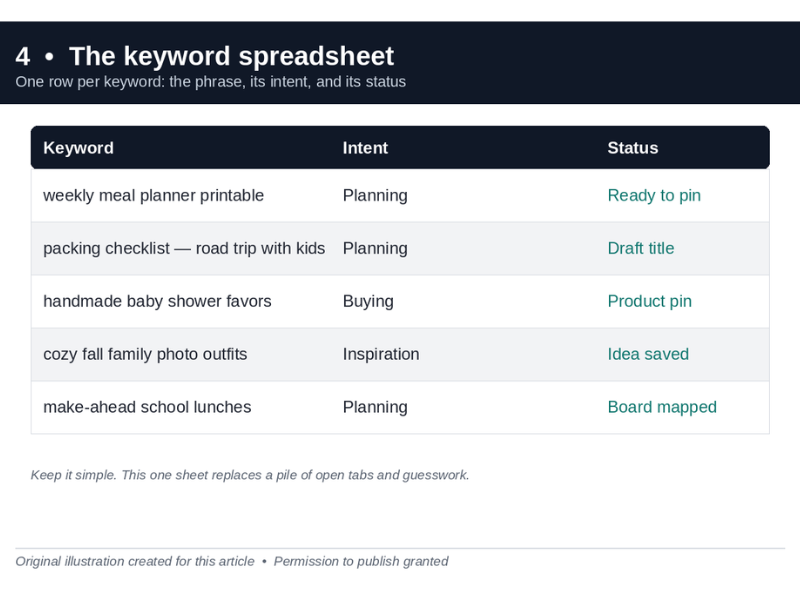
One row per keyword: the phrase, its intent bucket, and its status
Same keyword count, wildly different value — because intent differs. Every Pinterest keyword falls roughly into one of three buckets, and this one column decides what your pin should do:
• Inspiration (browsing): “cozy fall family photos outfit ideas,” “playroom decor ideas.” High reach, low commitment. Great for getting discovered, weak for clicks.
• Planning (saving): “packing checklist for road trip with kids,” “weekly meal planner printable.” The mom is organizing a project. Strong saves, good clicks — the sweet spot for bloggers and creators.
• Buying or doing (acting): “handmade baby shower favors,” “small business planner for moms.” Highest purchase or signup intent. These are your money keywords if you sell anything.
Mark each keyword in your sheet I, P, or B. For example: “kids birthday party ideas at home” is inspiration; “birthday party planning checklist printable” is planning; “personalized kids birthday banner” is buying. Now you know what each pin is for. Inspiration keywords get beautiful, broad pins. Planning keywords get checklist-style pins that earn saves. Buying keywords get pins that lead straight to the product or the signup page.
For seasonal direction, glance at Pinterest Predicts, Pinterest’s own annual forecast of rising searches. It’s a trend-spotting report, not exact data — but when it flags a rising search theme, it’s a signal to stock related keywords before the wave peaks.
Do it now: label every keyword in your sheet I, P, or B, and circle one from each bucket to publish this week.
Step 5: Map keywords to boards and pin copy
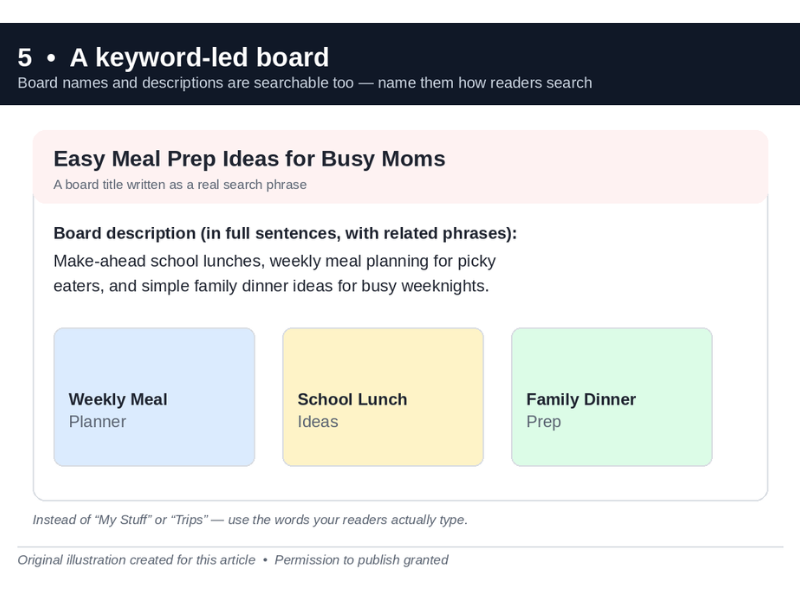
Board names are searchable too — name them the way readers search
Keywords that never leave your spreadsheet earn nothing. This step turns the list into a publishing map — and it’s where most mom entrepreneurs leave traffic on the table, because board titles and descriptions are searchable too.
1. Board names carry keywords. If your board is called “Stuff I Like,” rename it to what moms actually search: “Easy Meal Prep Ideas for Busy Moms,” with a board description written in full sentences using two or three related phrases (“Make-ahead school lunches, weekly meal planning for picky eaters, and simple family dinner ideas”). Same for “Family Travel With Kids” instead of “Trips,” or “Home Organization on a Busy Schedule” instead of “Organize.”
2. Pin titles lead with the keyword. “Weekly Meal Planner Printable for Busy Moms” beats “My New Printable!!” every time. “Packing Checklist for a Road Trip with Kids” beats “Our Road Trip!!”
3. Descriptions are searchable real estate. Write two to three natural sentences using the keyword and its closest variations — not a hashtag pile. Add alt text that describes the image for the same reason.
Keep a simple mapping: one row per keyword, columns for board, pin title draft, description draft. I batch-write all of next week’s copy in one sitting from this sheet — one focused hour, no context switching.
Do it now: rename one board to a real search phrase and draft three keyword-led pin titles.
What to pin first this week (the 3-hour plan)
I know you don’t have 20 hours for this. Here’s the starter plan for a week when you have roughly three hours total:
• Hour 1 — Research: pick two seed topics from Step 1 and run the autocomplete + guided-search sweep on both. Thirty phrases each, into the spreadsheet.
• Hour 2 — Validate and sort: put the best five phrases per seed into Pinterest Trends, keep the strongest, label each I, P, or B.
• Hour 3 — Publish map: write three board titles with keyword-rich descriptions, then draft six pin titles and descriptions from your buying and planning keywords. That’s next week’s content queue, done.
Then pin from that map over the following week — three to five pins, each on its mapped board. Next week, repeat with two new seeds. After a month, you could have a more organized board structure and a collection of pins built around relevant keyword ideas. Review your Pinterest analytics to see which topics attract impressions, saves, and clicks. That’s the compounding engine: old pins keep surfacing in search while you make new ones.
Tools and resources
Everything in this article uses Pinterest’s own free signals — the search bar, guided search, related searches, and Trends — and that genuinely gets you most of the way. When your list grows past a few dozen phrases, a keyword research tool helps you organize and clean it up instead of drowning in tabs. If you want a free one built specifically for Pinterest, there’s a free Pinterest keyword research tool where you can paste your list, group variations, and spot intent patterns before you build your pins. Free account, no card — just somewhere to keep the workflow tidy.
A realistic close
Let me be honest with you, because you’ve read this far: Pinterest is slow at first. Your first ten keyword-led pins probably won’t explode. What they may do, over time, is start accumulating — perhaps a few impressions this week, a save next week, a click the week after. That is the hope, not a timeline I can promise. Many creators find that, if they keep the routine going, the second or third month is when earlier pins may start to show up more often in search — but treat that as a pattern to watch for in your own analytics, not a promise. Results vary a lot by niche, season, and how consistently you publish.
Don’t chase virality. Chase consistency: a small, repeatable keyword-first routine that fits into nap windows and late nights. As a recommendation, not a guarantee: I would rather publish five searchable pins a week, sustained over months, than fifty random pins in one weekend followed by silence. Consistency gives each pin more chances to be found, but no schedule guarantees results. Pinterest rewards the planner — and if you’re reading this, planning is what you already do for everyone else. Now do it for your business too.
About The Author

Hamza Sultan
Hamza Sultan is the founder of PinInspect, a free Pinterest SEO toolkit (keyword research + AI pin generator) at PinInspect.com
